Lifestyle Product Photography: Complete Guide for E-commerce Brands
Lifestyle product photography shows products in real settings so shoppers can picture them. Explore types, examples, tips, and AI options for ecommerce.
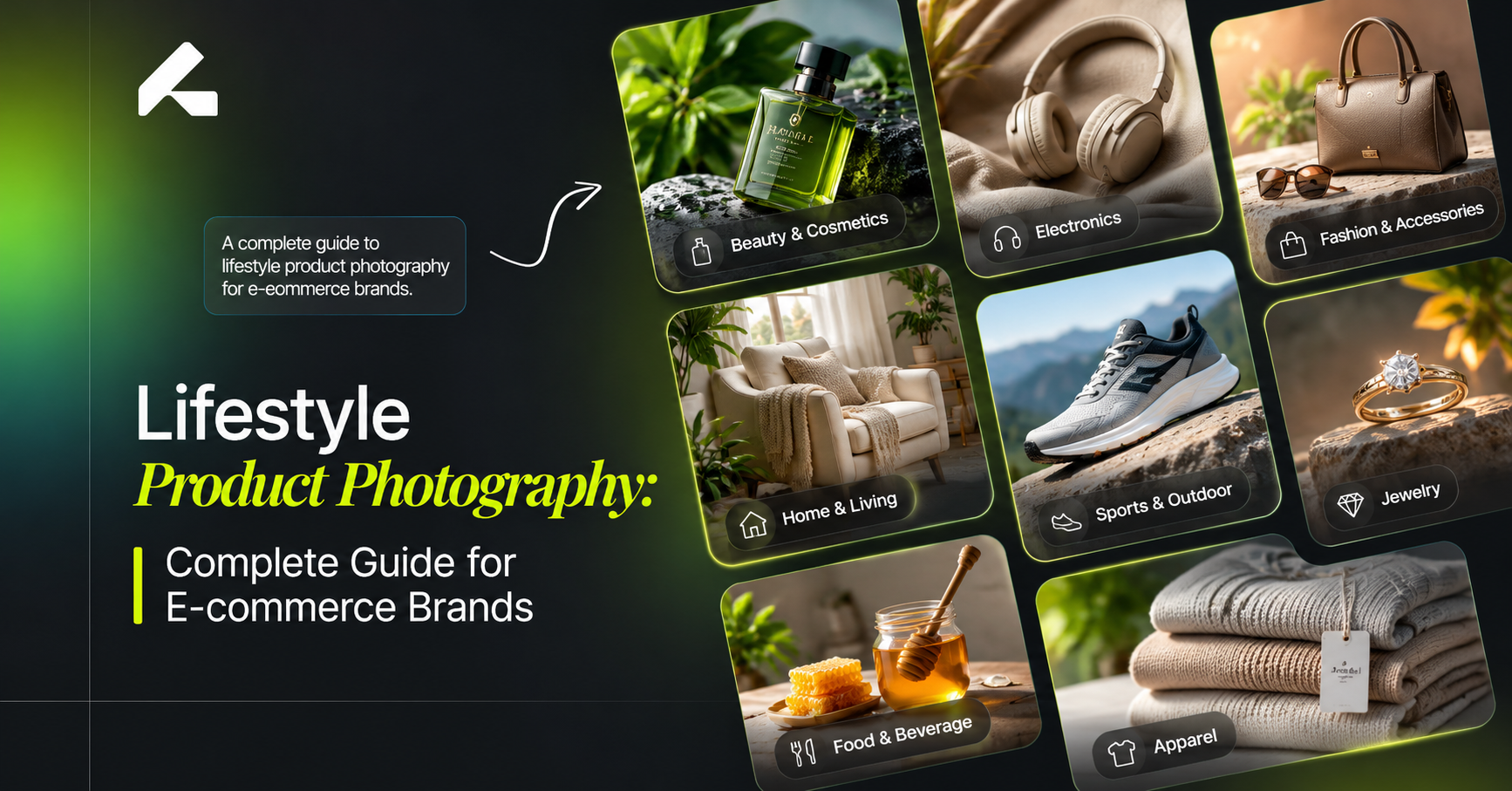
A candle on a white background tells you its size and its color. The same candle on a bedside table, next to a half-read book and a warm lamp, tells you how your evening could feel.
That difference is the whole point of lifestyle product photography. Instead of isolating the product, it places the item in a real or carefully styled setting, so shoppers can see how it fits into a day, a room, or an outfit. For lifestyle product photography for ecommerce, this matters even more, because nobody can pick the product up and turn it over in their hands.
This guide explains what lifestyle product photography is, how the main types differ, and how to shoot it well. It also covers industry examples, the rise of AI lifestyle product photography, and the mistakes worth avoiding.
What Is Lifestyle Product Photography?
Lifestyle product photography shows a product in a setting that suggests how it is used or who it is for. The setting might be a real kitchen, a cozy reading corner, a hiking trail, or a styled tabletop built just for the shoot.
Several things shape the final image. The surroundings set the mood. Models, when used, show scale and interaction. Props add context without stealing attention, and lighting decides whether the scene feels warm, crisp, or moody. Composition, which simply means how everything is arranged inside the frame, ties it all together.
Think of IKEA’s room sets. A sofa is not photographed alone. It sits in a living room with a rug, shelves, and a plant, so shoppers can picture the same scene at home. That single image communicates use, personality, and value at a glance.
Lifestyle vs Traditional Product Photography
The two styles do different jobs, and the table below shows where they differ.
| Lifestyle Photography | Traditional Product Photography |
|---|---|
| Shows products in contextual environments | Often isolates the product |
| Communicates use and lifestyle | Highlights product appearance |
| Uses props, settings, or models | Often uses simple backgrounds |
| Builds visual storytelling | Focuses on product presentation |
In the lifestyle vs product photography debate, neither side wins. Traditional shots answer “what does it look like?” while lifestyle shots answer “what would it be like to own it?”
Lifestyle vs White Background Photography
White background images are the clean reference. They show every edge, color, and detail, and many marketplaces ask for one as the main listing image. Lifestyle images work best after that first photo: on product pages, category banners, social posts, and ads.
Most online stores need both. Shoppers use the plain image to check details and the lifestyle image to decide how they feel about the product.
Why Lifestyle Product Photography Matters for E-commerce
Online shoppers cannot touch, try, or hold what they are looking at. Lifestyle images fill that gap in four practical ways.
Helps Customers Visualize Products in Real Life
Scale is hard to judge from a plain product shot. A lifestyle image shows a tote bag on a shoulder or a lamp beside a sofa, which answers questions about size and placement before anyone has to ask. It also makes features easier to understand, such as a lid that stays open, a pocket that fits a phone, or a rug that suits a small room.
Creates Emotional Connections With Buyers
People rarely buy a product alone. They buy the version of life it suggests. A cozy blanket on a rainy-day sofa speaks to comfort, and a running shoe on a morning trail speaks to motivation. Over time, these images also show what a brand stands for.
Strengthens Brand Identity and Visual Consistency
When styling, colors, lighting, and environments stay consistent, shoppers start to recognize your images before they see your logo. That visual identity is built through many small, repeated choices.
Supports Marketing Across Multiple Channels
One strong set of lifestyle images can be cropped and reused in many places:
- Product pages and category pages
- Social media campaigns
- Paid advertising and promotional banners
- Email marketing and seasonal campaigns
Different Types of Lifestyle Product Photography
Each type below suits a different kind of product, and together they give you plenty of lifestyle product photography ideas to start from.
In-Use Product Photography
These images show the product doing its job: a blender mid-smoothie, a backpack on a commuter, headphones at a desk. The action tells the story, so the product should stay clearly visible.
Model-Based Lifestyle Photography
People add scale, fit, and instant relatability. This works well for clothing, jewelry, and anything worn, held, or carried. Keep poses natural, because stiff posing breaks the illusion.
Environmental Product Photography
Here the setting does the talking: a candle in a real home, a desk lamp in an office, a camping stove outdoors. The aim is to match the place to the buyer’s own life.
Styled Lifestyle Photography
Carefully chosen props, textures, and backdrops build a mood. A ceramic mug on linen beside dried flowers feels different from the same mug on slate. This style is popular for gifts, home goods, and beauty.
Seasonal and Campaign-Based Photography
Holiday collections, summer launches, and sale campaigns often need fresh scenes. Fashion brands that refresh their visuals often, in particular, are exploring AI-generated fashion campaign visuals to try new settings without rebuilding a set each time.
How to Create Effective Lifestyle Product Photography
Good lifestyle images are planned, not lucky. These seven steps keep the process simple.
1. Understand Your Product and Target Audience
Start with the basics. What problem does the product solve, what makes it different, and who is buying it? A premium skincare serum and a kids’ lunchbox need very different scenes, even if both are shot in a kitchen. Note the likely use cases and buying motivations, then let them guide every choice that follows.
2. Choose the Right Setting and Environment
Indoor settings suit home goods, beauty, and tech. Outdoor settings suit gear, apparel, and travel products. Within each, decide on a feel: minimal, luxury, natural, or everyday. The setting should match how the product is positioned, because a budget-friendly everyday item on a marble hotel vanity sends mixed signals. Good product photography backgrounds support the product instead of competing with it.
3. Plan Your Composition and Product Placement
Decide what the eye should see first, and make that the product. Balance the foreground and background so the scene feels natural, and leave some empty space so the image can breathe and so banners have room for text. The rule of thirds, which places key elements along lines that split the frame into thirds, is an easy place to begin. Framing and perspective matter too, since shooting at eye level feels different from shooting slightly above.
4. Select Props and Supporting Elements
Pick items that belong in the scene, such as a notebook beside a pen or a towel next to a soap bar. Choose textures, colors, and materials that fit your color palette. Skip anything that distracts or confuses. If a prop makes people ask “what is that?”, take it out.
5. Use Lighting to Create the Right Mood
Natural light, such as a window on an overcast morning, gives soft shadows and a relaxed feel. Artificial light, including a softbox, gives control and consistency when daylight is unreliable. Watch reflections on glossy items like bottles and jewelry, and angle the light or use a diffuser to keep them tidy. Check that colors stay accurate too, because a product that looks different in person can disappoint customers.
6. Capture Multiple Angles and Perspectives
Take a wide shot that shows the whole scene, a medium shot that keeps the product central, and close-ups that show texture and detail. Together they give you a hero image, supporting images, and close-up shots for a product page. Shoot vertical and horizontal versions, since social feeds and websites use different shapes. A slightly blurred background, known as shallow depth of field, helps keep attention on the product.
7. Edit and Optimize Your Images
Editing fixes color and exposure, tidies small distractions, and keeps the style consistent across a collection. Background replacement tools can help here, and many brands now create professional product photos with AI for cleanup and scene changes. Then prepare files for the web with the right dimensions, sensible compression, and common formats like JPEG or WebP. Large files slow pages down, and responsive images let each device load the size it needs.
Want lifestyle scenes without booking a shoot?
Upload one product photo and Limli builds the scene around it.
Create Your Lifestyle Product Photos With Limli.ai
Lifestyle Product Photography Examples by Industry
Looking at how real brands work makes the ideas easier to apply. The notes below describe general approaches, not fixed rules.
Beauty and Skincare
Beauty brands often shoot in bathrooms, on vanities, and beside everyday items like towels and plants. Glossier is known for relaxed, everyday scenes with real-looking people, while Aesop leans toward calm, minimal settings that feel like a quiet shelf at home. Both show routines, not just bottles. Teams that need many scene variations quickly can also look at AI product photography for beauty brands.
Fashion and Accessories
Bags, shoes, and clothing look best in the situations they were made for. Patagonia, for example, often places its apparel in real outdoor settings, which shows what the clothing is built to handle. Other labels favor city streets or clean editorial backdrops. What matters is matching the setting to the wearer.
Jewelry
Jewelry is small, so context and detail both matter. Mejuri often shows pieces worn in everyday moments alongside close-ups, which helps shoppers judge size and finish. Luxury compositions use soft light and simple surfaces so the piece stays the focus.
Furniture and Home Decor
Nobody wants to guess how a chair will look in a room. IKEA’s room sets and the styled rooms used by brands like West Elm let shoppers see scale, color, and mood together. Realistic living rooms and bedrooms usually persuade better than an empty studio floor.
Food and Beverage
Packaging and drinks look more appealing when they are shown being enjoyed. A coffee bag beside a mug on a sunlit counter, or a sparkling drink at a picnic, suggests the moment of use. Coffee brands such as Blue Bottle often pair bags and cups with calm, café-style settings.
Traditional vs AI-Generated Lifestyle Product Photography
AI lifestyle product photography has given brands a second way to build these scenes. Here is how the two approaches compare.
How Traditional Lifestyle Photography Works
- Pick a studio or location that suits the product.
- Book a photographer, models, props, and a production team.
- Shoot, retouch, and receive the final images.
How AI-Generated Lifestyle Photography Works
- Upload an existing product image.
- Select or describe the environment you want.
- Generate lifestyle scenes with AI.
- Review product accuracy and refine the result.
- Export the visuals for your store and marketing.
Key Differences Between Traditional and AI Lifestyle Photography
| Factor | Traditional | AI-generated |
|---|---|---|
| Production | Physical photoshoot | AI-assisted generation |
| Environment | Real location or studio | Generated scene |
| Models | Physical models | AI-generated models, where supported |
| Variations | Additional shooting may be required | Multiple scene variations can be generated |
| Product accuracy | Captured directly | Requires careful verification |
Many brands end up using both, which is the practical conclusion of the wider AI vs traditional photography conversation. A real shoot captures the hero product, and generated scenes extend it across more placements.
When Should Brands Choose AI Lifestyle Photography?
- When you need several visual concepts for the same product
- When you want to test different backgrounds and settings
- When a campaign needs many variations
- When product visuals must scale across whole collections
Limitations and Quality Checks for AI-Generated Images
AI images need a careful look before they go live. Check these areas first:
- Product shape and proportions
- Logos, labels, and packaging
- Material and texture consistency
- Realistic shadows and reflections
- Human anatomy and how people interact with the product
A good habit is to compare each image with the real product, the way a customer would.
Common Lifestyle Product Photography Mistakes to Avoid
These slips are specific to lifestyle shoots, and they sit on top of the common product photography mistakes that apply to every kind of product image.
Choosing an Irrelevant Background
A beach scene for a winter coat leaves shoppers confused about who the product is for.
Using Too Many Props
When the scene is crowded, the product gets lost. Fewer, better props almost always work harder.
Poor Lighting and Unnatural Shadows
Harsh flash and heavy shadows make a scene look staged and cheap.
Hiding Important Product Details
If a label, clasp, or pocket is covered, shoppers cannot see what they need to decide.
Inconsistent Visual Style Across Product Collections
A different look for every product makes a store feel disjointed. Agree on colors, lighting, and settings early.
Ignoring Mobile Image Display
On a phone screen, a small product inside a wide scene can almost disappear. Check each image at thumbnail size.
Using AI Images Without Checking Product Accuracy
A generated image that quietly changes a logo, color, or shape misleads shoppers. Always review the output against the real product.
How to Use Lifestyle Product Images Across E-commerce Channels
Once you have a set of lifestyle product images, the next question is where each one belongs. Stores with large catalogs may also use AI product photography for eCommerce to keep the number of images manageable.
Product Detail Pages
Lead with a clean main image, then follow with lifestyle shots that show scale, use, and mood.
Homepage and Category Banners
Wide scenes with some empty space work well here, because there is room for headlines and buttons.
Social Media Content and Ads
Use vertical crops for stories and reels, and square or horizontal crops for feeds. Choose scenes that can stop a scroll.
Email Marketing Campaigns
One strong lifestyle image near the top of an email can carry a whole seasonal campaign.
Marketplace and Product Listing Images
Many marketplaces want a plain main image, so place lifestyle shots in the secondary slots. Check each platform’s current image rules before publishing.
Best Practices for Creating High-Quality Lifestyle Product Images
- Keep the actual product as the visual focus.
- Match the environment to the intended customer.
- Maintain realistic proportions and product details.
- Write simple, brand-specific visual guidelines.
- Create several image variations for different placements.
- Optimize resolution, dimensions, and loading speed.
- Test how images perform instead of assuming one style fits every product.
Create Lifestyle Product Photos With Limli.ai
If you already have clean product photos, you do not need a new shoot for every scene. Limli.ai lets brands turn a basic product image into lifestyle-style visuals: a kitchen counter today, a sunlit shelf tomorrow, a seasonal setting next month.
The idea is simple. The product stays the fixed reference, while the surroundings change. That makes it practical to test different moods and scenes without arranging props, locations, or models each time.
The workflow takes five steps:
- Upload your product image.
- Choose a scene or describe the setting.
- Generate the lifestyle visual.
- Review product accuracy and refine.
- Export for your store and marketing.
The review step matters most. Check shape, color, labels, and small details against the real product before anything goes live.
Frequently Asked Questions
What is lifestyle product photography?
It is photography that shows a product in a real or styled setting, so shoppers can see how it is used and where it fits. Instead of isolating the item, the image adds context through surroundings, props, lighting, and sometimes models.
What is the difference between lifestyle and product photography?
Standard product photography isolates the item, often on a plain background, to show its details. Lifestyle photography places it in a scene to show use, mood, and scale. One answers what the product looks like, the other shows what owning it feels like.
Why is lifestyle photography important for eCommerce?
Shoppers cannot handle products online, so context helps them judge size, use, and style. Lifestyle images also express brand personality and give you material for product pages, ads, social posts, and email campaigns.
How do you take lifestyle product photos at home?
Set up near a window for soft natural light, use a simple surface, and add only a few props that fit the product. A phone on a steady support works well. Take one wide shot and a few close-ups, then edit lightly for color and brightness.
What equipment is needed for lifestyle product photography?
You need a camera or a good phone, a tripod, and a light source, either window light or a softbox. A reflector or white board helps soften shadows. Add backdrops and props that suit the scene, plus basic editing software.
How much does lifestyle product photography cost?
It varies widely. The price depends on the photographer, location, models, props, number of images, and retouching. AI-generated scenes can reduce some of these costs, but it is best to compare quotes and decide how many images you actually need.
Can AI create lifestyle product photos?
Yes. AI tools can place an existing product image into generated scenes. The result still needs a human check, since logos, shapes, and textures can drift. Review each image against the real product before publishing.
How do you create realistic lifestyle product images with AI?
Start with a sharp, well-lit product photo. Choose a scene that suits the product, then check shadows, proportions, and reflections. Regenerate if something looks off, and review the final image closely before it goes on your store.
What products benefit most from lifestyle photography?
Products where context helps the decision benefit most, such as furniture, home decor, fashion, beauty, jewelry, food, and outdoor gear. If shoppers wonder how big, how it looks in use, or how it feels, a lifestyle image can answer.
Should eCommerce websites use lifestyle images and white background images together?
Yes. White background images show clear details and meet many marketplace rules. Lifestyle images add mood, scale, and use. Together they cover both the practical and emotional parts of a buying decision.
Final Thoughts
Lifestyle product photography works because it answers the question shoppers cannot ask out loud: what would this look like in my life? The strongest images keep the product as the focus, choose a setting that fits the buyer, and stay consistent across the collection.
Whether you shoot in a real room or build scenes with AI, the same rules apply. Keep the product accurate, keep the styling intentional, and check every image the way a customer would.