AI Product Photography for E-commerce: From One Product Image to a Complete Visual Campaign
Learn what AI product photography is, how it works, and how e-commerce brands use it to scale visual content across every marketing channel.
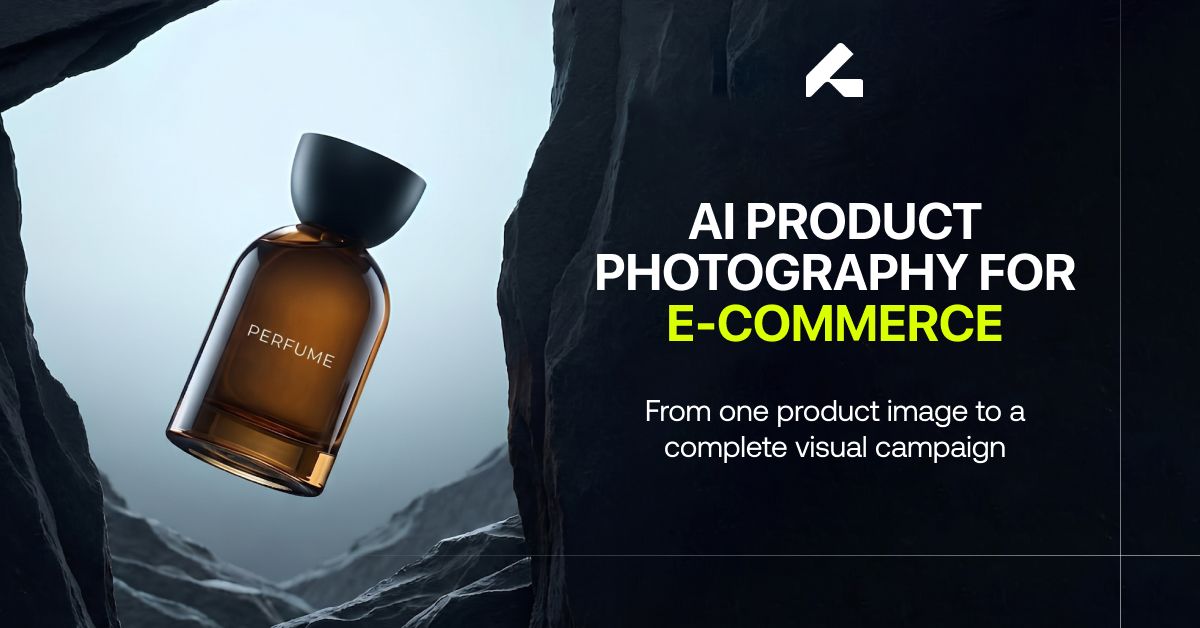
Product photography used to follow a predictable rhythm: book a studio, hire a photographer, set the lighting, shoot for a day or two, and walk away with a set of images meant to last for months. That rhythm still works for a handful of hero shots. It breaks down almost immediately for a modern e-commerce brand managing hundreds of SKUs, a dozen marketing channels, and a content calendar that never actually stops.
AI product photography exists to close that gap. This guide covers what it actually is, how the process works, what it's genuinely good for, where traditional photography still wins, and how to build a product content system around it rather than treating it as a single tool.
Why Traditional Product Photography Is Difficult to Scale
Every New Product Requires New Visual Assets
A growing catalog means a growing photography backlog. Existing images rarely transfer to a new product, so each addition typically needs its own dedicated shoot, its own editing pass, and its own review cycle before it's ready to publish.
New Campaigns Often Mean New Photoshoots
A seasonal push, a new collection, or a shift in brand direction usually calls for new models, new locations, and a new visual style, even when the underlying product hasn't changed at all. Each of those variables adds its own production cycle.
Social Media and Advertising Need Constantly Changing Creative
One product image rarely covers every channel. Organic posts, paid ads, and email creative all perform better with fresh variations rather than the same shot recycled everywhere a customer might see it, and producing that variety through physical shoots multiplies cost quickly.
The Cost and Time Increase With Catalog Size
The larger the catalog, the harder creative testing becomes. Fast iteration is one of digital marketing's real advantages, but that advantage disappears when every new creative direction requires booking another studio day.
What Is AI Product Photography?
AI product photography uses generative AI to create new product visuals from an existing image, a set of references, and written instructions, rather than a camera pointed at the physical item. The AI can place a product into new environments, adjust lighting and composition, add models, or build entirely new scenes around it, while working to keep the product itself accurate and recognizable.
How AI Product Photography Works
The general workflow follows a consistent loop:
- Start with a clear, high-quality image of the real product.
- Define the visual you want, whether that's a studio background, a lifestyle scene, or a model wearing the item.
- Generate the image.
- Review it for product accuracy, checking shape, color, logo placement, and proportions.
- Refine the instructions and regenerate if needed.
- Produce additional variations for different channels and campaigns.
This loop runs far faster than booking a new studio, model, and location for every creative direction, which means a single accurate product photo can become the starting point for dozens of downstream assets.
What Can You Create With AI Product Photography?
Clean studio shots remain the backbone of product pages, catalogs, and marketplace listings, where a distraction-free background keeps the focus entirely on the item itself.
Lifestyle photography places the product inside a realistic setting so a customer can picture it in their own life, a very different job than a white-background shot, and one that tends to perform better for categories where context matters, like home goods or apparel.
Product-on-model images matter most for fashion, jewelry, accessories, and beauty, categories where seeing an item worn or applied answers a question a flat product photo simply can't.
Product-in-use imagery demonstrates function directly. A blender shown mid-use communicates capability faster than a spec sheet ever could.
Editorial and campaign photography builds the bigger visual moments, homepage banners, product launches, and paid campaigns, where the goal shifts from showing the product clearly to representing the brand at a premium level.
Detail shots carry the weight of materials, texture, and craftsmanship, the kind of close-up confidence-building imagery that reduces hesitation at checkout.
Product video extends all of this into motion, short clips built for social feeds and paid placements where a still image alone won't hold attention.
The 6 Product Visuals Every E-commerce Brand Should Consider
Where the section above explains what's possible, this is the practical shortlist worth checking against your own catalog.
Primary Product Shot — Purpose: clarity and identification.
Lifestyle Shot — Purpose: help customers visualize the product in context.
Product-in-Use Shot — Purpose: demonstrate functionality and usage.
Detail Shot — Purpose: communicate quality, materials, and features.
Editorial or Campaign Shot — Purpose: build brand identity and premium marketing assets.
Product Video — Purpose: increase engagement across social and advertising.
Most catalogs are missing at least two or three of these for most products, not from lack of importance, but because producing all six through traditional photography alone was rarely realistic at scale.
AI Product Photography vs. Traditional Photography
The two approaches solve the same underlying problem in very different ways.
| Factor | Traditional Photography | AI Product Photography |
|---|---|---|
| Studio, models, locations, props | Required for every shoot | Not required after the source image exists |
| Production time per variation | Days to weeks | Minutes to hours |
| Cost of additional variations | Scales with each new concept | Marginal cost drops sharply |
| Creative testing at scale | Difficult and expensive | Fast and inexpensive |
| Guaranteed physical accuracy | Highest | Requires review and refinement |
Is AI Product Photography a Replacement for Traditional Photography?
Not entirely, and treating it as a straight replacement misses how most brands actually use it. AI tends to take over the workload of campaign variations, lifestyle imagery, social content, paid creative, and early concept development, while professional photography still earns its place for the images a brand can't afford to get even slightly wrong.
This is a natural point to bring in outside help. Building this workflow product by product is manageable for a small catalog and genuinely difficult at scale, which is exactly the gap a platform like Limli is built to close.
How to Create High-Quality AI Product Photography
Start with a high-quality product image. Good resolution, accurate color, and minimal obstruction give the AI more to work with, and output quality tracks input quality closely.
Define the purpose of the image before generating anything. A product page image, a paid ad, and an email banner all have different requirements.
Choose one clear visual direction. Studio, lifestyle, editorial, minimal, premium, seasonal, and product-in-use are all distinct goals, not settings to blend together in a single generation.
Generate multiple variations. Testing different backgrounds, lighting, and compositions costs almost nothing compared to rebooking a physical shoot for each option.
Check product accuracy every time. Logo placement, shape, color, packaging, texture, and proportions all need a direct comparison against the real item.
Refine and regenerate before publishing. AI output rarely arrives perfect on the first pass, and a review step is what separates a usable asset from a rough draft.
How to Maintain Consistency Across AI Product Photography
Consistency becomes the real challenge once a brand starts generating images at volume. A set of pictures can each look fine individually while still feeling disconnected as a group.
Keep the product representation consistent across every image, since even small shifts in color or scale make a catalog feel unpolished.
Maintain consistent models where product-on-model imagery is involved, particularly for fashion and beauty, where customers get used to recognizing the same faces across a collection.
Establish a visual direction early rather than deciding scene by scene, and standardize lighting and composition so the set feels like one cohesive shoot rather than several unrelated ones.
Build a repeatable style that can be reused across future products, and review the full collection together, not image by image, since inconsistencies are far easier to catch when the whole set is sitting side by side.
How E-commerce Brands Can Use AI Product Photography
Product pages benefit from a mix of primary, lifestyle, detail, and in-use imagery rather than a single hero shot carrying the whole page.
Social media platforms each reward slightly different creative, Instagram and Pinterest lean visual and aspirational, TikTok rewards motion and authenticity, and AI makes producing platform-specific variants realistic instead of a compromise.
Paid advertising improves with more creative concepts to test, since more variations mean more chances to find what actually resonates with a given audience.
Email marketing can reuse existing product visuals for launches and promotions instead of commissioning new photography for every campaign.
Product launches and seasonal campaigns, from a holiday push to Black Friday to back-to-school, can each get their own visual identity without the lead time a traditional shoot requires.
Large catalogs are where this pays off most directly, since hundreds of SKUs can share a consistent visual system without multiplying the photography budget at the same rate.
Using AI Product Photography for Paid Advertising
A single product photo can branch into a studio concept, a lifestyle concept, a product-on-model concept, a product-in-use concept, and a short video, all from the same source image. That range turns creative testing from a limited, expensive exercise into something a performance marketing team can actually run week over week, testing backgrounds, models, and messaging against each other to learn what genuinely connects with an audience, rather than guessing from a single approved hero shot.
AI Product Photography for Different E-commerce Industries
Fashion and apparel brands lean on product-on-model imagery to show fit, drape, and how fabric actually moves, something a flat lay can't communicate.
Beauty and skincare brands benefit from close-up detail shots paired with in-use imagery, showing texture and application together, a serum's consistency next to a hand demonstrating how it absorbs.
Jewelry and accessories depend on detail photography that captures finish and craftsmanship at a level a quick studio shot usually misses.
Home and furniture brands get the most value from lifestyle scenes that place a piece inside a realistic, styled room rather than isolated on white.
Food and beverage brands generally perform better with warm, appetizing lifestyle imagery than clinical studio shots, since appetite appeal is the whole job.
Electronics and consumer products rely on detail and in-use imagery that clarifies function, a charging port, a screen interface, a product mid-use.
Sports and outdoor products perform best with action-oriented imagery that shows the product doing exactly what it's built for, in the environment it's built for.
Can AI Product Photography Replace a Professional Photoshoot?
When AI Product Photography Makes Sense
Large catalogs, lifestyle imagery, social content, paid advertising, seasonal campaigns, creative testing, and pre-launch concept work are all situations where AI's speed and cost advantage clearly outweighs the tradeoff in guaranteed physical accuracy.
When Traditional Photography May Still Be Better
High-stakes brand campaigns, highly technical products, regulated categories, and any situation demanding exact physical representation still favor a real camera and a controlled shoot.
Why a Hybrid Approach Can Work Best
The most practical answer for most brands isn't choosing one over the other. It's using professional photography to capture the most important, highest-stakes images, then using AI to expand that accurate source material into the full range of variations a modern marketing calendar actually demands.
What to Look for in an AI Product Photography Tool
Rather than another ranked tool list, here's what actually separates a usable platform from a flashy demo: product accuracy that holds up under real comparison, image quality suitable for the channel it's headed to, model and brand consistency across a full set rather than a handful of samples, real scene and background control, genuine scalability across hundreds of SKUs rather than just a few, fast editing and regeneration instead of starting over, clear commercial usage rights, compatibility with the e-commerce platforms you actually run on, and video generation if motion content matters to your strategy.
From AI Product Photography to Complete Product Content
The larger shift underway isn't just better product photos. It's brands building a full product content system, where one accurate source image becomes the foundation for studio imagery, lifestyle scenes, model shots, campaign creative, social assets, ad variations, and video. One product, many assets, many channels, without a separate production cycle for each one.
Common Mistakes to Avoid With AI Product Photography
- Starting from a low-quality or unclear source image
- Prioritizing how an image looks over whether it's actually accurate to the product
- Applying random, unrelated styles across a single catalog
- Generating only one variation instead of testing several
- Ignoring the specific requirements of each destination platform
- Publishing AI images without a human review step
- Using unrealistic environments that undercut the product's credibility
- Losing sight of the actual marketing objective in favor of an image that just looks nice
Frequently Asked Questions About AI Product Photography.
What is AI product photography?
The use of generative AI to create product images and videos from an existing product photo, references, and written instructions.
How does AI product photography work?
It starts with a source image, applies a defined visual direction, generates the result, and goes through a review and refinement step before publishing.
Can AI create product photos from one image?
Yes. A single clear source image is usually enough to generate a wide range of visual variations.
Is AI product photography good for e-commerce?
Yes, particularly for brands managing large catalogs, frequent campaigns, or a need for constant creative variation across channels.
Can AI put products on models?
Yes, this is common practice for fashion, apparel, jewelry, accessories, and beauty products specifically.
Can AI product photography replace a photoshoot?
Not entirely. It's strong for scaling content and testing creative, but high-stakes campaigns and highly technical products often still call for traditional photography.
How do I make AI product photos look realistic?
Start with a high-quality source image, choose one clear visual direction, and check every result against the real product before it goes live.
Can AI product photography be used for Shopify?
Yes, generated images can be formatted to fit Shopify's listing requirements directly.
Can AI product photos be used for Amazon?
Yes, provided the output is checked against Amazon's specific image requirements before upload.
Can AI product photography create videos?
Yes, many workflows can extend a still image into short product videos or social clips.
What should I look for in an AI product photography tool?
Product accuracy, consistency across a full set, real scene control, scalability, easy regeneration, and clear commercial usage rights.
Conclusion
AI product photography isn't about eliminating the photoshoot. It's about removing the bottleneck that makes scaling visual content across a growing catalog, a dozen channels, and a constant campaign calendar genuinely difficult with physical production alone. The advantage is speed and creative flexibility, but product accuracy and visual consistency still require real attention, not something to assume happens automatically.
The direction most brands are actually heading isn't AI instead of photography. It's AI as part of a broader product content workflow, one accurate image away from becoming everything a modern marketing team needs. If building that workflow sounds like more than your team has bandwidth for, that's exactly the gap Limli is built to close, turning a product catalog into a full library of on-brand visuals and videos, ready for your website, social channels, and ad campaigns.