Best AI Tools for Product Photography in 2026
Compare the best AI tools for product photography in 2026, LIMLI, Photoroom, Pebblely, and more, based on accuracy, ease of use, and pricing.
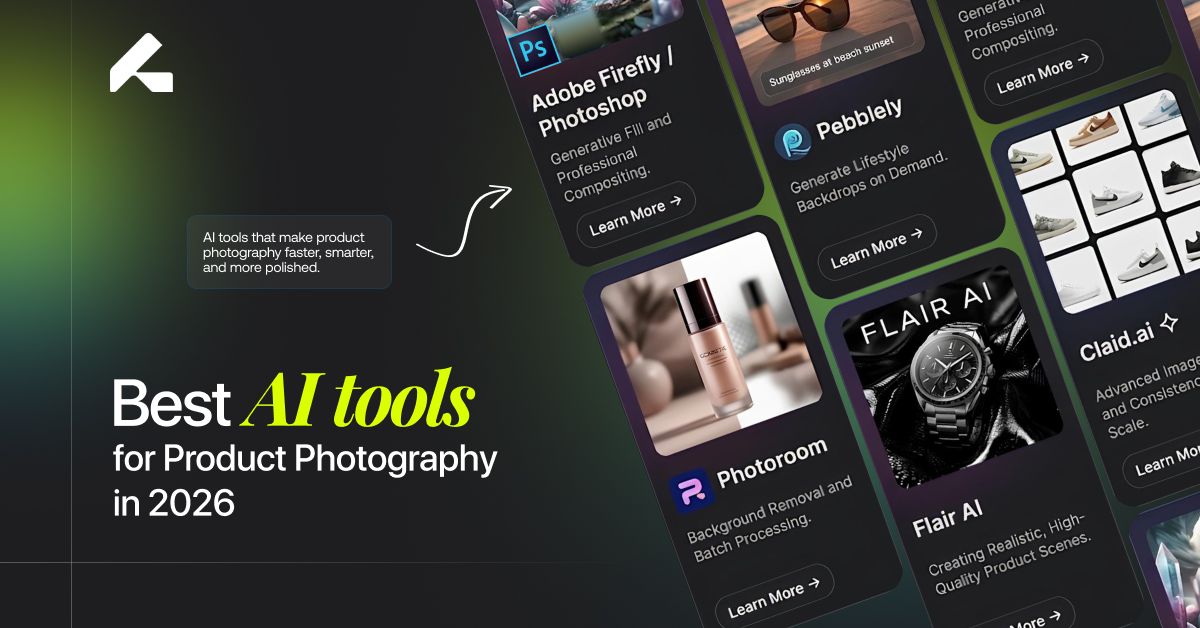
Product photography has always been one of the more expensive, time-consuming parts of running an e-commerce brand. A single photoshoot can mean booking a studio, coordinating a photographer, and waiting days for a handful of usable images, and that's before accounting for every new product, every seasonal campaign, or every fresh piece of ad creative a marketing calendar demands.
AI product photography tools exist to close that gap. They can generate studio backgrounds, lifestyle scenes, product variations, and marketing-ready visuals in a fraction of the time a traditional shoot requires. The catch is that not all of these tools are built for the same job. Some are optimized for fast marketplace edits, others for bulk catalog processing, and others for creative, campaign-level scenes. This guide compares the leading options based on product accuracy, image quality, ease of use, scalability, and value, so you can match the right tool to your actual workflow instead of picking whichever one ranks first on a generic list.
What Makes a Good AI Product Photography Tool?
Before comparing individual platforms, it helps to know what actually separates a genuinely useful tool from an impressive demo.
Product Accuracy
The single most important factor, and often the one that separates a genuinely usable tool from an impressive-looking demo. A tool needs to preserve the actual shape, color, and texture of your product, keep logos and packaging text legible and correct, and avoid the subtle distortions, a slightly warped edge, a color that's just a shade off, a logo that's almost but not quite right, that make an image look almost trustworthy but not quite. These small inaccuracies are easy to miss on a quick glance and much more noticeable to an actual customer studying a product before buying.
AI Background and Scene Generation
Studio backgrounds, lifestyle scenes, branded environments, and seasonal settings all serve different purposes, and a strong tool should handle more than just one of these convincingly. A tool that only produces clean studio backgrounds well but struggles with realistic lifestyle scenes will leave a real gap in a brand's content needs, since most modern e-commerce strategies rely on both.
Image Quality and Realism
Lighting, shadow placement, reflections, and how naturally the product sits within its generated scene all determine whether an image looks professionally produced or obviously synthetic. This is often where cheaper or less refined tools fall short, the product itself might look fine, but a shadow falling in the wrong direction or a reflection that doesn't match the scene's lighting quietly signals that something isn't quite real.
Ease of Use
How simple the upload process is, how intuitive the editing workflow feels, whether the tool demands detailed prompting or works well with minimal input, and how approachable it is for someone without a design background.
Batch Generation and Scalability
Whether the tool can handle more than one product at a time, generate multiple variations efficiently, manage a large catalog, and offer automation or API access for teams that need this built into a larger workflow.
Pricing and Value
Whether a free tier exists, how credit or subscription systems work, and whether the cost actually makes sense for the volume of images a business needs.
Best AI Tools for Product Photography at a Glance
| Tool | Best For | AI Backgrounds | Lifestyle Scenes | Batch Processing | Ease of Use |
|---|---|---|---|---|---|
| Limli.ai | E-commerce product visuals | ✓ | ✓ | ✓ | Easy |
| Photoroom | Quick product editing | ✓ | ✓ | ✓ | Easy |
| Pebblely | AI backgrounds | ✓ | ✓ | — | Easy |
| Flair AI | Creative product scenes | ✓ | ✓ | — | Medium |
| Claid.ai | Bulk/API workflows | ✓ | ✓ | ✓ | Medium |
| Adobe Firefly | Creative AI workflows | ✓ | ✓ | — | Medium |
| Canva | Product + marketing designs | ✓ | ✓ | — | Easy |
Best AI Tools for Product Photography in 2026
1. Limli.ai — Best for E-commerce Product Photography
LIMLI is built specifically around the e-commerce product photography workflow, taking a single product image and turning it into a full set of studio shots, lifestyle scenes, and campaign-ready visuals. It's designed for online stores, product-based brands, and marketing teams that need consistent, on-brand imagery across a growing catalog without booking a new photoshoot for every variation.
The workflow generally follows a straightforward path: upload a source image, define the visual direction, generate results, and refine based on product accuracy. LIMLI's focus on preserving product details while expanding into different scenes and formats is what separates it from more general-purpose editing tools.
Pros
Purpose-built for e-commerce product visuals rather than general image editing
Supports both studio and lifestyle scene generation from a single source image
Designed with catalog-scale workflows in mind, not just one-off edits
Cons
As with any AI tool, results benefit from a human review pass before publishing
Best suited to product-focused brands rather than broader creative design needs
Our Verdict
LIMLI is a strong fit for e-commerce brands that need to scale product visuals across many SKUs and channels without treating every new image as its own production project. It's not the right tool for brands whose primary need is general graphic design or marketing layout work rather than product photography specifically.
2. Photoroom — Best for Quick Product Editing
Photoroom is widely known for fast, accessible background removal and product image editing, making it a popular choice among marketplace sellers who need clean, professional-looking listings quickly. It also offers AI-generated backgrounds and batch editing features aimed at speeding up repetitive product photo tasks.
Strengths: Fast, approachable editing, strong background removal, and a workflow well suited to sellers managing individual listings on marketplaces like Amazon or Etsy.
Limitations: Its strengths lean more toward quick edits and cleanup than deep, brand-specific lifestyle scene development for larger campaigns.
3. Pebblely — Best for AI Product Backgrounds
Pebblely focuses specifically on generating AI backgrounds and scenes for product photos, letting users place an existing product image into a variety of styled settings. It's generally regarded as approachable for beginners who want good-looking backgrounds without a steep learning curve.
Ideal users: Small businesses and sellers who mainly need attractive, varied backgrounds rather than a full production pipeline.
Limitations: Less oriented toward bulk catalog processing or deep workflow automation compared to tools built specifically for scale.
4. Flair AI — Best for Creative Product Scenes
Flair AI is generally positioned around creative flexibility, letting brands build more artistic, campaign-style product scenes rather than straightforward studio or lifestyle shots. It tends to appeal to brands and designers who want more creative control over composition and visual experimentation.
Ideal users: Brands prioritizing distinctive, campaign-level visuals over fast, high-volume output.
5. Claid.ai — Best for Bulk Product Image Processing
Claid.ai is generally known for image enhancement and automation at scale, with API access that suits businesses needing to process large product catalogs programmatically rather than through a manual interface. This makes it a common choice for e-commerce platforms and teams with development resources to integrate automated image workflows directly.
Ideal businesses: Larger catalogs and technical teams needing automation and API-driven workflows rather than a manual, one-image-at-a-time process.
6. Adobe Firefly — Best for Creative AI Workflows
Adobe Firefly brings generative AI capabilities, including Generative Fill, into the broader Adobe ecosystem, giving users familiar with Photoshop or Illustrator a way to extend product images, generate backgrounds, and make creative adjustments within tools they may already use professionally.
Ideal users: Designers and professionals already working within Adobe's Creative Cloud who want generative features integrated into an existing workflow rather than a separate standalone tool.
7. Canva — Best for Product Images and Marketing Content
Canva is best known as a broader design platform rather than a dedicated product photography tool, but its AI image generation features (including Magic Media) and extensive template library make it a practical choice for brands that need product visuals alongside social posts, ads, and other marketing materials in one place.
Ease of use: Generally considered one of the most beginner-friendly platforms on this list, particularly for teams already using Canva for other design needs.
Which AI Product Photography Tool Is Best for Different Needs?
Rather than a single ranked winner, the right choice depends heavily on what you're actually trying to accomplish.
Best for e-commerce product photography: LIMLI, given its focus on turning a single product image into a full set of e-commerce-ready visuals at catalog scale.
Best for AI product backgrounds: Pebblely, for straightforward, attractive background generation without a steep learning curve.
Best for quick product editing: Photoroom, for sellers who need fast, clean edits and background removal without a complex workflow.
Best for creative product scenes: Flair AI, for brands prioritizing distinctive, campaign-style visuals over speed and volume.
Best for bulk product image processing: Claid.ai, for larger catalogs and technical teams that want automation and API access built in.
Best for product images plus marketing designs: Canva, for teams that want product visuals and broader marketing content produced in the same platform.
AI Product Photography Tools vs. Traditional Photography
| Factor | AI Product Photography | Traditional Photography |
|---|---|---|
| Cost | Lower for many workflows | Higher |
| Production speed | Fast | Slower |
| Scalability | High | Limited |
| Background variations | Easy to generate | Requires additional setup |
| Creative variations | High | Requires additional shoots |
| Product accuracy | Can vary | Usually highly accurate |
| Human control | Lower | Higher |
AI tools clearly win on speed, cost, and scalability, but traditional photography still holds real advantages in specific situations. Highly detailed, reflective, or technically precise products, think fine jewelry, glassware, or products where exact physical accuracy carries regulatory weight, often still benefit from a professional shoot where every detail can be controlled directly. Luxury brands in particular sometimes find that the exacting standard their customers expect is worth the added cost and time of a traditional shoot for their most important hero images, even while using AI tools to handle everything else. For most standard e-commerce catalogs and marketing content, though, AI-generated imagery has become a genuinely credible option rather than a compromise, and the gap in perceived quality has narrowed considerably as these tools have matured.
How to Choose the Right AI Product Photography Tool
If you're a small business, prioritize ease of use, affordable pricing, and quick results over deep automation features you may not need yet.
If you have a large product catalog, prioritize batch processing, automation, consistency across images, and API capabilities that can plug into an existing system.
If you need lifestyle product images, prioritize strong scene generation, realistic lighting, and consistent product representation across different settings.
If you sell on marketplaces, prioritize image quality, product accuracy, and compatibility with each platform's specific listing requirements.
If brand consistency is important, prioritize tools that preserve your product accurately and can repeat a consistent visual style across your entire catalog, not just a handful of standout images.
How to Create Product Photos with an AI Tool
The general workflow across most of these platforms follows a similar pattern:
- Upload your original product image.
- Remove or replace the background.
- Select a visual style or scene direction.
- Generate multiple variations.
- Review the results for product accuracy.
- Make adjustments and regenerate where needed.
Export the final image for your store, ads, or social media.
For brands specifically looking to streamline this process at e-commerce scale, rather than handling each image as an individual edit, a tool like LIMLI is built around exactly this kind of repeatable, catalog-wide workflow.
Are AI Product Photography Tools Worth It?
For most e-commerce brands, yes, with a few honest caveats. The benefits are real: lower production costs, faster content turnaround, a much wider range of creative variations, easier catalog updates as products change, better scalability as a business grows, and simply more usable content for ads and social media than most brands could previously afford to produce.
The limitations are worth taking seriously too. AI-generated images can occasionally introduce artifacts, get small product details wrong, distort packaging text, or produce shadows and reflections that don't quite look physically accurate. None of this makes the technology unusable, but it does mean a human quality-control step before publishing isn't optional, it's part of doing this well.
Frequently Asked Questions
What is the best AI tool for product photography?
It depends on your workflow. LIMLI is a strong choice for e-commerce brands scaling product visuals, while tools like Photoroom, Pebblely, and Canva each serve more specific or general-purpose needs.
What is the best free AI product photography tool?
Several tools on this list offer free tiers or limited free credits, though feature availability at the free level varies and changes frequently, worth checking current pricing directly before committing to one.
Can AI create professional product photos?
Yes, when the source image is high quality and the results are reviewed for accuracy before publishing.
Can AI replace traditional product photography?
Not entirely. It's a strong fit for scaling content and creative variations, but traditional photography still holds an edge for highly detailed, reflective, or technically sensitive products.
What is the best AI tool for e-commerce product images?
LIMLI, given its specific focus on e-commerce workflows and catalog-scale image generation.
Can AI generate lifestyle product photos?
Yes, most tools on this list support generating lifestyle scenes in addition to standard studio backgrounds.
Can AI preserve product logos and packaging?
Generally, yes, though accuracy varies by tool and by how clear the original source image is, this is one of the most important things to check before relying on any tool at scale.
How much do AI product photography tools cost?
Pricing models vary widely, from free tiers with limited credits to subscription plans scaled by usage or catalog size. Costs and plans change often enough that current pricing should always be checked directly on each provider's site.
What should I look for in an AI product photography tool?
Product accuracy, background and scene quality, ease of use, batch processing capability, and pricing that actually fits your catalog size and workflow.
Final Verdict
There isn't a single best AI product photography tool for every business, only the best tool for your specific workflow.
Best for e-commerce product photography: Limli.ai
Best for quick editing: Photoroom
Best for AI backgrounds: Pebblely
Best for creative scenes: Flair AI
Best for bulk or API workflows: Claid.ai
Best for broader design needs: Canva
The right choice ultimately comes down to your catalog size, the visual style you're going for, how much automation your workflow actually needs, and your budget. A small brand publishing a handful of new products a month has very different needs than an e-commerce operation managing thousands of SKUs across multiple marketplaces, and the right tool is the one that matches where your business actually is right now, not just the one at the top of a ranked list.